网络诊断方法集合
压力测试
curl
# Linux中的curl命令可以用来执行HTTP请求。如果要使用curl并发执行多个请求,可以使用以下几种方法:
# - 使用xargs命令,将curl命令和请求URL列表传递给xargs命令,xargs命令会按照指定的并发数并发执行curl命令。
# - 使用GNU并行(parallel)命令,将curl命令和请求URL列表传递给parallel命令,parallel命令会按照指定的并发数并发执行curl命令。
# - 使用bash循环和后台进程,在循环中执行curl命令,并使用 & 将其设置为后台进程。
# - 使用python 和 asyncio 库来并发发送请求
cat url.log |xargs -n 2 -P 200 curl
# -n 2 表示每次传递给curl命令的参数数量为2,
# -P 200 表示最多同时运行200个curl命令。
curl http://www.s***m.test/clear-apcu && echo '>>>' && cat url.log |xargs -n 1 -P 200 curl
ab doc
# ab -c 并发数 -n 请求数 URL
# ab工具常用参数:
# -n :总共的请求执行数,缺省是1;
# -c: 并发数,缺省是1;
# -t:测试所进行的总时间,秒为单位,缺省50000s
# -p:POST时的数据文件
# -w: 以HTML表的格式输出结果
# ab -n 100 -c 10 -w http://www.baidu.com/ >> baidu.html
# 结果界面和下面例子是一样的,只是以html文件形式保存而已。
ab -n 500 -c 100 http://www.s***m.test/
parallel
parallel -j 10 curl -O < url.log
parallel -j 10 --bar curl {} :::: url.log
mtr诊断
# 安装
brew install mtr
brew info mtr
sudo ln /usr/local/Cellar/mtr/0.94/sbin/mtr /usr/local/bin/mtr
sudo ln /usr/local/Cellar/mtr/0.94/sbin/mtr-packet /usr/local/bin/mtr-packet
# 诊断
sudo mtr www.s***m.com
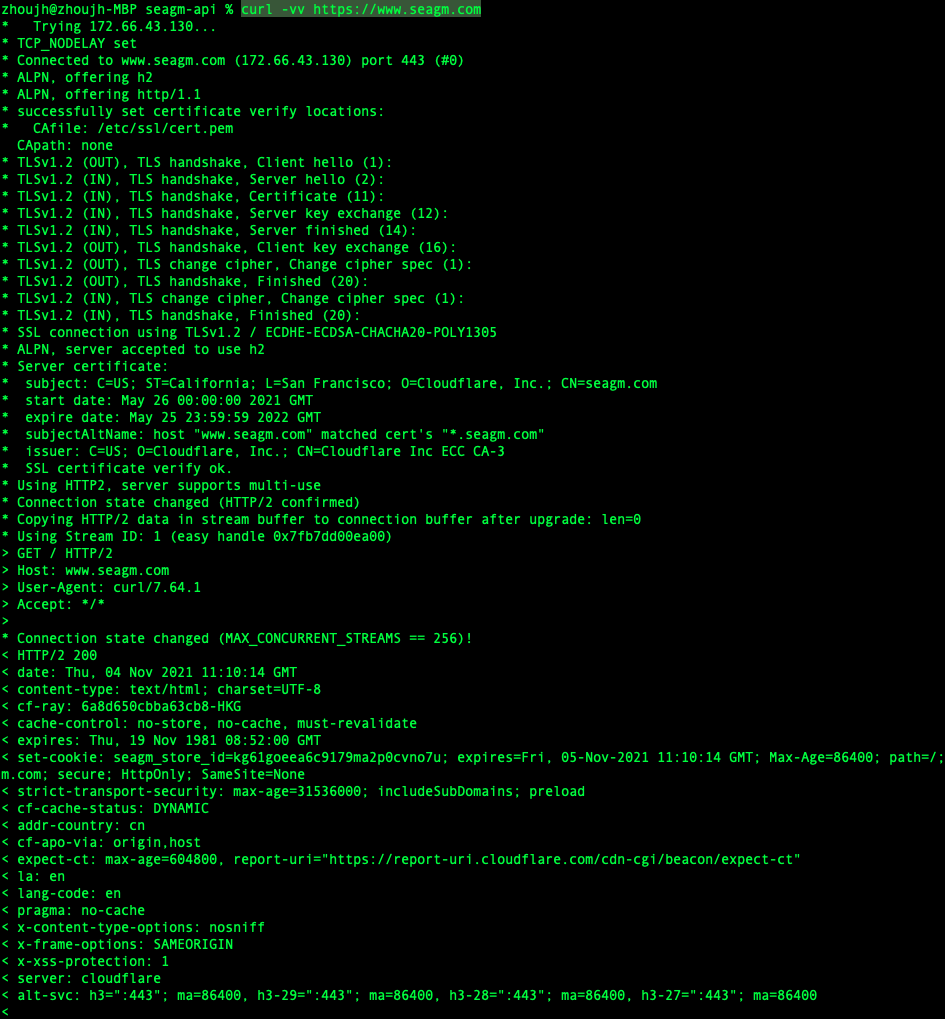
查看https链接详情
curl -vv https://www.s***m.com
查看DNS路由解析
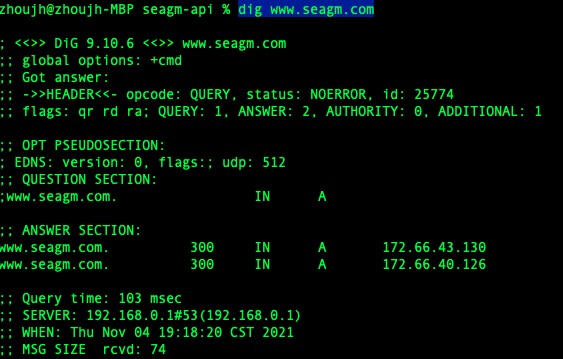
mac&Linux: dig
dig www.s***m.com
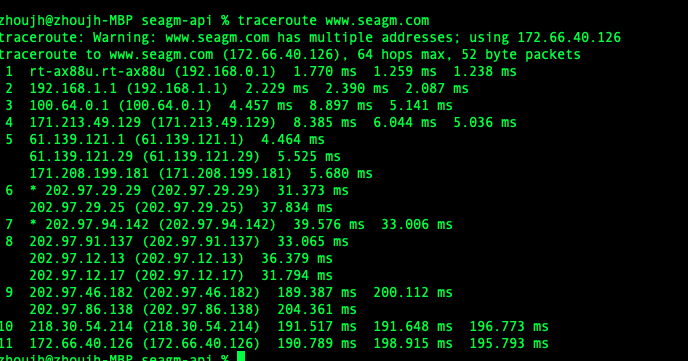
mac: traceroute
traceroute www.s***m.com
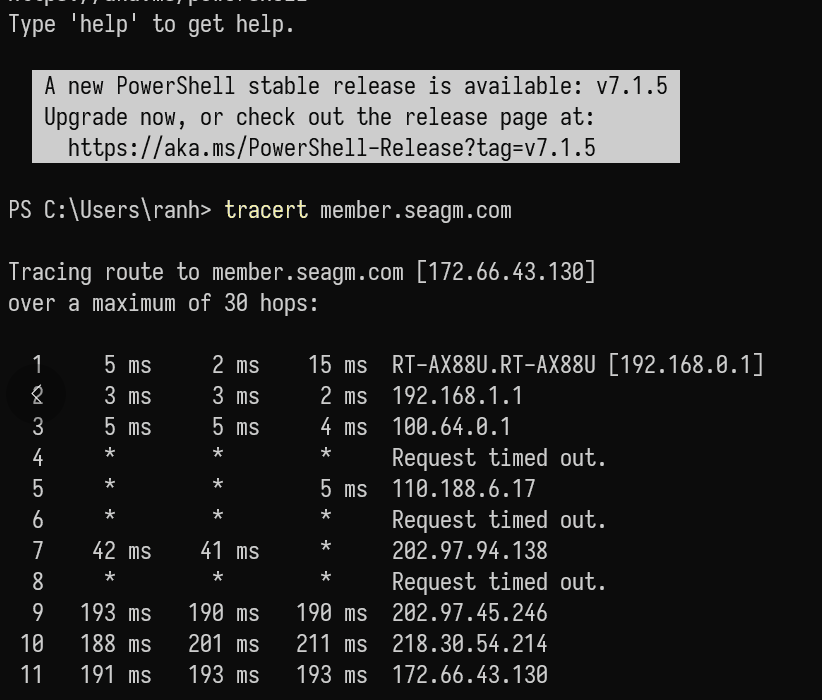
Win:tracert
tracert www.s***m.com
查看本地网络信息
查看本机IP
curl ipinfo.io/ip
curl ifconfig.me
curl https://openapi.s***m.com/ip
curl -s ipinfo.io/what-is-my-ip && echo -e "\n...\n" && curl -s ifconfig.me/all
## {
##   "ip": "188.2xx.1xx.162",
##   "city": "Taipei",
##   "region": "Taiwan",
##   "country": "TW",
##   "loc": "25.0531,121.5264",
##   "org": "AS38136 Akari Networks",
##   "timezone": "Asia/Taipei",
##   "readme": "https://ipinfo.io/missingauth"
## }
## ...
##
## ip_addr: 188.2xx.1xx.162
## remote_host: unavailable
## user_agent: curl/8.7.1
## port: 60032
## language:
## referer:
## connection:
## keep_alive:
## method: GET
## encoding:
## mime: */*
## charset:
## via: 1.1 google
## forwarded: 188.2xx.1xx.162,34.1xx.1xx.145
查看ssh路由
# 1 ssh连接上后,通过服务端终端命令查看
who  # www-data pts/1        2025-11-19 18:40 (171.2xx.1xx.1xx)
last
# 2 ssh未连接上,在本地终端命令查看
ip route get 1.2.3.4       # ubuntu
route -n get 4x.2xx.1xx.2xx # macOS
traceroute -I 4x.2xx.1xx.2xx
# 3 在客户端主机 开启发送客户端
iperf3 -c 192.168.0.1

# macOS
route -n get <server-ip>
traceroute -I <server-ip>
netstat -rn
# Linux
ip route get <server-ip>
ip route
traceroute <server-ip>
ss -tnp | grep ssh
局域网带宽测试iperf3
# 1 安装iperf3
brew search iperf3
brew install iperf3

apt search iperf3
apt install iperf3

# 2 在目标主机 开启接收端
iperf3 -s

# 3 在客户端主机 开启发送客户端
iperf3 -c 192.168.0.1
查看长链接
nginx
systemctl stop nginx
systemctl start nginx
nginx -t
nginx -s reload
php
#1 s***m-api
systemctl restart php7.3-fpm
局域网带宽测试iperf3
# 1 安装iperf3
brew search iperf3
brew install iperf3

apt search iperf3
apt install iperf3

# 2 在目标主机 开启接收端
iperf3 -s

# 3 在客户端主机 开启发送客户端
iperf3 -c 192.168.0.1